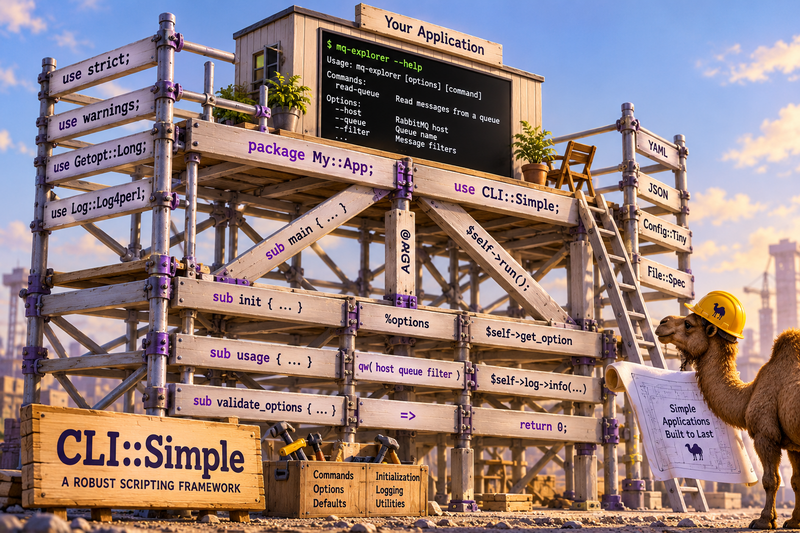
When I first learned Perl over 30 years ago, like most people learning Perl, I wrote scripts. A lot of them.
In that time, I’ve written everything from quick utilities intended to address some ad hoc problem to sophisticated command-line applications that became indispensable parts of larger systems.
Those experiences taught me what a script needs and, more importantly, what it will eventually need. Scripts, as it turns out, are often solutions discovering their problems one version at a time.
Rarely does anyone sit down to write a script with a complete and immutable set of requirements in front of them. More often, we’re handed a problem, we write a few lines of Perl to solve it, and discover through using the script that the problem was a bit broader than we first imagined.
So we create version next.
We add an option. We add a command. We handle an unexpected condition. We introduce a new behavior. Each iteration reveals a little more about the problem we’re actually trying to solve.
Lather, rinse, repeat.
And before we know it, what began as a quick and dirty utility has become a genuinely useful application, not just a one-trick pony.
This is precisely how CLI::Simple was born: a framework for creating
command-line utilities.
Aren’t You Reinventing the Wheel?
Yes…and no.
Perl has a rich ecosystem of command-line tools and frameworks,
including Getopt::Long, App::Cmd, CLI::Framework, and
MooX::Options, among others.
In fact, CLI::Simple is a first-class, enthusiastic consumer of
Getopt::Long. It’s an excellent argument parser, and I had no
intention of reinventing it.
So why another solution?
Part of the answer is simply history. After all, isn’t it possible that more than one caveman invented the wheel?
Like a lot of Perl developers, I accumulated my own collection of conventions long before I seriously considered adopting one of the available command-line frameworks.
Those conventions emerged gradually. One script introduced a better
way to handle defaults. Another introduced a more consistent approach
to command dispatch. Still another suggested a better way to organize
help text. And honestly, who wants to type $options{'config-file'}
a dozen times when $self->get_config_file is so much more natural?
Each new script inherited some of the lessons learned from its predecessors (along with the cruft and some obviously clunky ways of doing things).
Eventually, I realized that these weren’t application-specific solutions. They were generalizations and abstractions that belonged somewhere other than the applications themselves. I also saw an opportunity to polish the rough edges and standardize on techniques that had proved useful.
The result is CLI::Simple.
My Favorite Framework?
If you’ve been writing Perl scripts for any length of time and you have not yet adopted a formal framework, your framework is probably the last script you wrote.
Until CLI::Simple, that was mine.
It’s not uncommon to find an existing script that does something vaguely similar, copy it, and use it at least as a starting point for your next masterpiece.
What you might overlook is that you’re not simply copying boilerplate. You’re copying an architecture. It’s probably the fifth or sixth generation, and it might not look much like the first script you wrote.
By gen 6, you’ve almost certainly moved that inline heredoc into a
usage() function. Maybe the script even reads a configuration file
(YAML, JSON, or INI this time?). Default options? Logging?
Parameter validation? Or is that gen 7?
We inherit all of the good decisions, along with the bad ones, without necessarily revisiting why they were made in the first place.
And gen 7 is born.
Perhaps we discover a better way to handle one of those recurring problems. Which takes precedence: command-line options, environment variables, or configuration file settings? We implement a solution, and suddenly gens 1–6 look outdated.
The Poster Child
Consider something as mundane as option normalization.
For years, I wrote perfectly functional scripts without giving much thought to how command-line option names were represented internally. I preferred hyphens to underscores in command-line options because I might type those options thousands of times, while their definitions are written once. My fingers appreciated not having to reach for the shift key.
But when I started implementing the script, that perfectly natural
--config-file became $options{'config-file'}.
Now the convenience I’d gained at the command line had become an inconvenience in the code.
Wouldn’t it be nicer to write:
$options{config_file}
…because I don’t like quoting hash keys.
That preference eventually spawned normalize_options(\%options),
which in turn evolved into CLI::Simple’s accessor:
$self->get_config_file
A small improvement? Certainly…and in more ways than one.
But once you’ve adopted a consistent convention, all those older scripts start looking a little antiquated. And my future scripts will absolutely have to adopt that convention, lest my compulsive need for consistency cause sleepless nights.
Multiply that experience by decades of scripting, and you begin to appreciate the problem.
Every new script bolts on another function or feature until the next generation starts to look more like a framework for writing command-line scripts than a command-line script itself!
And of course the problem isn’t Getopt::Long. The problem is
everything we keep reinventing around it.
Is the Horse Dead Yet?
Probably. Skip ahead unless you’re completely engrossed or need more convincing that you should start with a framework (as long as the friction is low).
Suppose you need to investigate some messages arriving on a RabbitMQ queue.
You write a small Perl script to retrieve a few messages and preserve them for later analysis.
Perhaps the script takes two options: the queue name and the number of messages to retrieve.
You don’t need a framework for that, right?
YAGNI. You Aren’t Gonna Need It.
Oh, wait. Username, password. No problem, that’s just two more options, and I’ll default to using environment variables.
YSAGNI. You Still Aren’t Gonna Need It. (Am I?)
And for the first version, you might be absolutely correct.
But scripting is an iterative experience.
After using your utility for a while, you realize you need to select messages matching certain criteria. Then you need to control whether messages are acknowledged.
--no-ack --filter='level:error'
Perhaps you’d like to write selected messages to JSON files.
--outfile=debug.json
Next, you’d like to replay some of those messages. A replay command?
YAGNI. You Are Gonna Need It?
Suddenly, this is no longer a one-off script, and you’ve just realized this could be a useful tool…if you took the time to do it right.
Keep hacking? Or refactor?
The unfortunate reality is that by the time you recognize the need for a framework, you may already be too far down the rabbit hole (groan) to justify the migration.
Back to the first YAGNI. If the friction of starting with a framework is sufficiently low, what exactly are we avoiding by not using one?
Enter CLI::Simple.
Getting Started with CLI::Simple
Let’s follow the rabbit down the hole.
#!/usr/bin/env perl

use strict;
use warnings;

package CLI::RabbitMQ::Explorer;

use parent qw(CLI::Simple);

caller or __PACKAGE__->main;

sub main {
  my $cli = __PACKAGE__->new(
    commands => {
      'read-queue' => \&cmd_read_queue,
    },
    option_specs => [
      'queue-name|q=s',
      'max-messages|m=i',
    ],
  );

  return $cli->run();
}

sub cmd_read_queue {
  my ($self) = @_;

  my $queue = $self->get_queue_name;
  my $max_messages = $self->get_max_messages;
  ...

  return 0;
}

1;
- Declare your options
- Declare your commands.
- Use the included
create-modulinoscript
   create-modulino --module CLI::RabbitMQ::Explorer \
     --alias  mq-explorer \
     --installbindir ~/bin
Run the script and you’re off to the rabbit races:
mq-explorer -m 10 -q fu-man-queue
Because you only have one command, you can omit the read-queue command
argument.
Add some new options
    option_specs => [
      'queue-name|q=s',
      'max-messages|m=i',
      'username|u=s',
      'password|p=s',
      'host|h=s',
      'port|P=i',
      'filter|f=s@',
      'ack|a!',
    ],
Set some default options
    option_specs => [
      ...
    ],
    default_options => {
      max_messages => 10,
      ack          => 1,
      host         => 'localhost',
      port         => '5672',
    },
Add some additional accessors
Not every application attribute needs to be a command-line
option. Declare additional accessors for internal application state
using extra_options.
    option_specs    => [
      ...
    ],
    default_options => { ... },
    extra_options   => [ qw(channel error queue_count rabbit) ],
Implement an initialization phase
Add an init() method if you want to run some code prior to running
your commands.
sub init {
  my ($self) = @_;

  $self->set_username($ENV{RABBIT_USERNAME})
    if exists $ENV{RABBIT_USERNAME} && !defined $self->get_username;

  $self->set_password($ENV{RABBIT_PASSWORD})
    if exists $ENV{RABBIT_PASSWORD} && !defined $self->get_password;

  $self->set_rabbit( $self->_connect() );

  return;
}
Voila! You’ve just created an extensible command-line application with little
more plumbing than you’d need using Getopt::Long directly.
Batteries Included
CLI::Simple provides all of the essential capabilities that
command-line applications commonly require and some other goodies too:
Option normalization. Command-line options can follow familiar
shell conventions while Perl code uses familiar identifiers. An option
such as --config-file becomes available through
$self->get_config_file.
Command dispatch. Commands are explicitly registered and routed to their implementations. Command handlers have access to command-line options and any additional options you’ve declared.
Default values. Applications can establish defaults for command-line options and additional application attributes, while allowing explicitly supplied values to take precedence.
Consistent option access. Rather than managing a collection of unrelated variables, command implementations can use setters and getters.
Help and documentation. Applications can provide structured help directly from their POD.
Logging. Applications have access to a common logging
infrastructure (via Log::Log4perl) rather than assembling a new
logging solution for every script.
Common Utilities and Constants. CLI::Simple includes utilities
for reading text or JSON files, along with commonly used constants
that can be imported from CLI::Simple::Constants.
Conventions First, Framework Optional
Although I have described CLI::Simple as a scripting framework, using it
doesn’t require adopting an application framework that dictates how
your code must be organized.
For a single-module application, commands are registered using the
commands constructor parameter. Their implementations can be methods
or subroutines organized according to the application’s needs.
Going Deeper
For more sophisticated applications, CLI::Simple also offers an
optional role-based framework.
YAML manifests declare commands, options, and the roles that implement
them, eliminating the need for the explicit command registration in
our earlier main() method.
roles:
  read-queue: RabbitMQ::Explorer::Role::ReadQueue
options:
  - queue-name|q=s
  - max-messages|m=i
  - username|u=s
  - password|p=s
  - filter|f=s@
  - ack|a!
  - host|h=s
  - port|P=i
extra_options:
  - channel
  - rabbit
  - queue_count
  - error
default_options:
  max_messages: 10
  ack: true
  host: localhost
  port: 5672
CLI::Simple loads the manifests and selectively composes only the role associated with the requested command. This is an important optimization: an application might declare 50 commands, but there’s no reason to compose 50 command roles when only one command will execute.
Each command role is responsible for composing any additional roles it requires.
This optional architectural choice makes it possible to build extensible, maintainable command-line applications without continually expanding a single module.
But of course, you can still write substantial applications using
CLI::Simple’s convention-based interface without ever introducing a
manifest.
Simple Is Not Lite
The name CLI::Simple is deliberate.
Simple doesn’t mean a limited feature set, nor does it mean the absence of sophisticated capabilities.
It means developers should be able to build robust command-line applications without repeatedly constructing the infrastructure required to support them.
The next time you reach for Getopt::Long, give CLI::Simple some
consideration. You never know - you just might need it.
Links
Previous post: Apache2::Request: Fixing the build
BigfootInMouth

A blog by Rob Lauer.
 www.linkedin.com/in/rob-lauer-1590513
Search
Recent Posts
- Simple is Not Lite - CLI::Simple: A Robust Scripting Framework
- Apache2::Request: Fixing the build
- Introducing Log::Log4perl::Appender::CloudWatchLogs
- Announcing Amazon::API 2.8.0 - A Lightweight AWS API for Perl
- Amazon::S3 v2.1.0 - On Being an S3 Client
- Reflecting on Mirrors - Part II
- Reflecting on Mirrors - Part I
- Phoenix Rising: Why Perl’s Unix Roots Matter More Than Ever
- Abstract Algebra, The Simpsons, and Malcom In in the Middle
- Python 3.15: (Or, How Python is Slowly Becoming Perl)